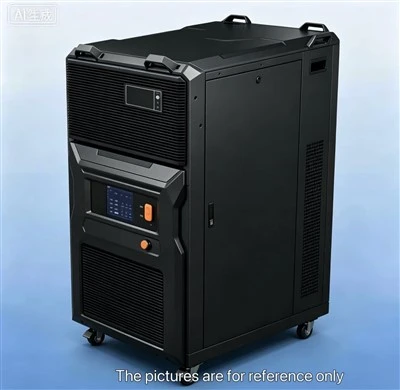


If you’re reading this, chances are you rely on portable tritium monitors to keep tabs on low-energy beta radiation in labs, nuclear facilities, or tritium-handling sites. As a supplier of these devices, I’ve seen firsthand how even a small, seemingly minor shock can turn a perfectly working monitor into a paperweight—one that can’t accurately measure tritium levels, putting your safety and compliance at risk. Let’s get real: portable monitors are built to move, but they’re not indestructible. Here’s what I’ve learned over the years about protecting your portable tritium monitor from shocks, straight from the perspective of someone who’s dealt with a lot of broken units and frustrated clients.
First, let’s get on the same page about why tritium monitors are extra sensitive to shocks. Unlike other radiation detectors, tritium monitors work by picking up weak beta particles (those low-energy electrons that can’t even penetrate a sheet of paper, let alone your skin). The detector component—usually a thin-walled proportional counter or a silicon diode—is super delicate. A drop, a bump off a lab bench, or even a harsh jostle in a toolbox can bend that thin wall, crack the diode, or misalign internal components that are calibrated to catch those tiny beta signals. I’ve had clients send back monitors that worked fine one day, got knocked off a cart, and started spitting out false “no radiation” readings the next—all because of a simple 3-foot drop. That’s why shock protection isn’t just a nice-to-have; it’s non-negotiable for keeping your monitor accurate.
Let’s start with the basics: how you carry and store your monitor when you’re not using it. So many people make the mistake of tossing it in a bag with hard tools, keys, or other gear. Even if you’re in a hurry, that’s a recipe for shocks. I recommend getting a dedicated carrying case, not a random laptop bag or tool pouch. The best cases for portable tritium monitors have shock-absorbent foam inserts that are custom-cut to fit your exact model—no extra space for movement, no hard edges pressing against the detector. Some people ask if a general hard case works, and yeah, if you line it with closed-cell foam, but custom is way better. I’ve seen clients cut their own foam and end up with a monitor that slides around inside, which is almost as bad as no case at all. Also, never set your monitor on the edge of a bench or counter. I know space is tight in labs, but that 2-second reach to grab a flask is enough time to knock it off. A lot of newer monitors have a built-in stand, so use that to keep it on a flat surface, not hanging over the edge.


Next, when you’re actively using the monitor—like walking around a facility or moving between workstations—how do you hold it? I see people swinging it from their hand, tucking it under their arm while they open a door, or strapping it to a pocket without a secure clip. Bad moves. The best way is to grip it with two hands when moving, especially if you’re going over uneven floors, climbing stairs, or bending down to check a surface. If you do use a belt clip, make sure it’s the one that came with the monitor, not a generic one from a hardware store. Generic clips are flimsy and can pop off unexpectedly. Also, check the clip every month or so—they wear out over time, and a broken clip means your monitor is at risk of falling. For those who move around a lot, consider a lanyard that attaches to both the clip and your belt. It won’t prevent every drop, but it’ll stop your monitor from hitting the floor if the clip fails.
Now, what about when you’re transporting multiple devices? I mentioned carrying cases, but if you’re moving, say, a portable tritium monitor and a neutron radiation dosimeter, you don’t want them banging into each other. I’ve had clients ship monitors in the same box as heavy lab equipment, and almost every time, at least one detector got damaged. If you’re transporting more than one, wrap each in a soft cloth (microfiber works great) and separate them with foam sheets. Never stack devices on top of each other—weight on a monitor’s casing can bend the detector over time, even if it’s not a sudden shock. Also, avoid putting heavy items like books or tools on top of the carrying case. It’s easy to do when you’re loading a van, but that constant pressure can cause internal damage that doesn’t show up until you need the monitor for a critical reading.
One thing that surprises a lot of new clients is how even minor vibrations can be a problem. If you’re using your monitor near machinery, forklifts, or centrifuge equipment, the constant low-level vibration over time can loosen internal components. I’ve seen monitors that worked fine for months in a quiet lab start giving inconsistent readings after being used daily in a busy processing plant. The fix here is not just shock protection for sudden impacts, but vibration isolation. Some of my clients add small rubber feet to the bottom of their monitors when working near vibrating equipment, or use a foam pad under the monitor when it’s set up for long periods. There are also vibration-damping straps you can use to secure the monitor to a workbench that’s near heavy machinery. It’s a small step, but it adds up to fewer repairs and more reliable data.
Wait, let’s talk about maintenance—because protecting your monitor from shocks isn’t just about the big, obvious drops. It’s also the little things you do every week that prevent damage over time. I recommend doing a quick visual check every time you use your monitor. Look for dents in the casing, cracks in the display screen, or loose parts on the back. If you notice a dent, that’s a sign that the internal detector might be misaligned. Even a small dent from a bump against a door frame can mess with the calibration. Also, if you get your monitor calibrated annually (which you should—your regulatory agency probably requires it), ask the technician to check for shock-related damage during the calibration. They can run tests to make sure the beta detector is still picking up weak signals, and if something’s off, they can fix it before it becomes a bigger problem.
Another common mistake I see is using a portable tritium monitor for tasks it’s not designed for. Some people think, “Hey, it’s a portable detector, so I can use it to check for heavy radiation too” or even use it as a hammer to tap a stuck lid (I swear, I’ve had a client do that). That’s a surefire way to damage it. Stick to what your monitor is built for—measuring low-level tritium. If you need to measure other types of radiation, like neutrons, a neutron radiation dosimeter is the right tool for that. Using the wrong device not only risks damage, but also gives you false readings that can lead to safety mistakes. Same goes for radiation dosimeter for research laboratories—those are built for lab-specific environments, not the rough handling that some portables get.
Let’s also cover some advanced tips for people who work in especially tough environments, like construction sites that handle radioactive materials or outdoor field work. For those clients, I recommend adding a shock-absorbent bumper to the edges of the monitor. These are rubber strips that stick on the side and bottom, like a phone case bumper, and they absorb impact if the monitor gets dropped. Some of the newer, rugged portable tritium monitors come with these built-in, but if yours doesn’t, you can pick them up at most electronics stores. Also, for field work, use a weatherproof carrying case that’s also shock-resistant—water damage is bad, but a shock that breaks the detector is worse, and weatherproof cases add an extra layer of protection against bumps from rocks or branches.
I should mention that even with all these steps, accidents happen. That’s why having a backup monitor is a good idea, especially if you’re working on critical projects or in regulated industries. But preventing shocks in the first place is way cheaper than repairing or replacing a monitor. The average repair cost for a portable tritium monitor is about half the cost of a new one, and if the detector is damaged beyond repair, you’re looking at a full replacement. Plus, downtime waiting for a fixed monitor can set back your projects and put your compliance at risk.
Now, let’s clear up a few FAQs I get all the time. First: Can I use a radiation dosimeter with alarm as a portable tritium monitor? No—alarm dosimeters are built for general radiation monitoring, not the specific low-energy beta particles that tritium emits. Trying to use one will lead to inaccurate readings, and maybe even damage to the dosimeter. Second: Are personal radiation monitoring devices shock-resistant? Some are, but most are designed for wearable use, not heavy handling. If you need a device that can be moved around a lot, a dedicated portable tritium monitor with shock protection is better. Third: Do I need to turn off the monitor when carrying it around? Not always, but if you’re going to be moving it over rough terrain or dropping risk is high, turning it off saves battery and reduces the chance of jostling damaging internal components.
At the end of the day, protecting your portable tritium monitor from shocks is about being proactive, not reactive. It’s the small, daily habits—using a dedicated case, checking your belt clip, not tossing it in with tools—that make the biggest difference. As someone who’s worked with hundreds of clients over the years, I can tell you that the monitors that last the longest and give the most reliable data are the ones that are handled carefully, with proper protection.
If you’re in the market for a portable tritium monitor that’s built with shock resistance in mind, or if you have questions about how to care for your current device, feel free to reach out. We can walk you through the best carrying solutions, maintenance tips, and even help you choose the right accessories to keep your detector working at peak performance. Whether you need a personal radiation monitoring device for lab use or a rugged unit for field work, we’ve got options tailored to different needs.
References
- International Atomic Energy Agency. (2018). Radiation Protection and Monitoring for Tritium Facilities. IAEA Safety Standards Series No. GS-G-1.3.
- National Institute of Standards and Technology. (2020). Calibration and Performance Testing of Portable Beta Radiation Monitors. NIST Special Publication 250-88.
- American National Standards Institute. (2021). American National Standard for Radiation Protection Dosimetry. ANSI/HPS N13.1-2021.
- International Organization for Standardization. (2019). Portable Radiation Monitoring Devices for Tritium. ISO 15550:2019.
- Health Physics Society. (2022). Best Practices for Handling and Maintaining Portable Radiation Detectors. Health Physics News, Vol. 50, No. 3, pp. 14-19.